Prompt Presets
Use the Presets module to save reusable prompts, tag them, search them, insert them into the editor, and protect the library with backup tools.
What Presets Does
Presets is KeyRing's prompt library module. It lets you create reusable prompt snippets, tag them, search them, insert them into the main prompt editor, and protect the library with backup and restore tools.
Use it when
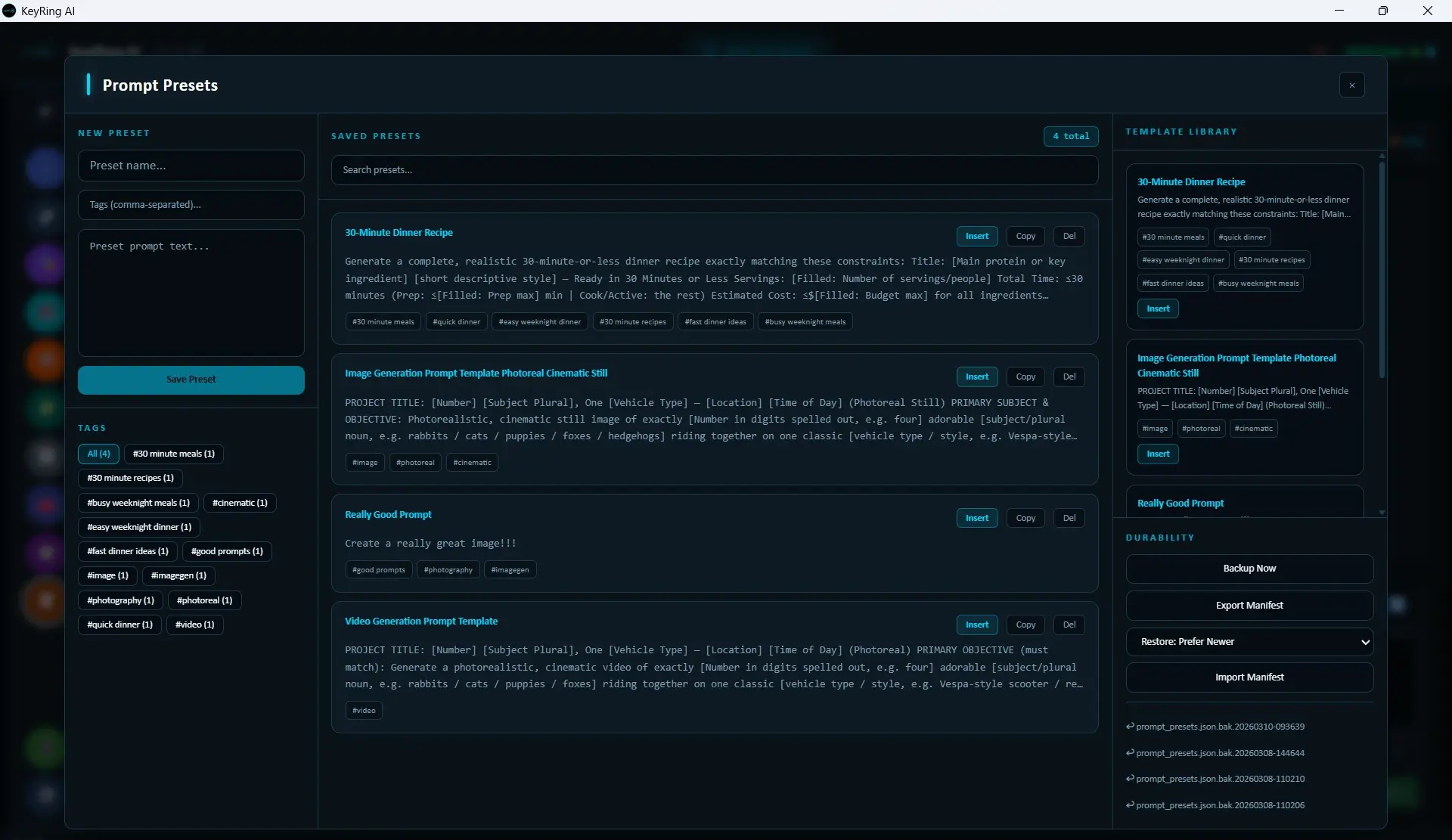
Three-Column Layout
Left column
New Preset form, tags input, preset text field, Save Preset, and tag list.
Center column
Saved Presets list, search box, result count, and per-preset actions.
Right column
Template Library and Durability tools such as backup, manifest export, import, and restore.
Create a New Preset
Enter the preset name
Name is required.
Add optional comma-separated tags
Tags are normalized on save.
Enter the preset text
The preset body is required.
Click Save Preset
The preset is added to local storage and appears in the saved list.
Current save rules
Working With Tags
The bottom of the left column shows the tag panel. It includes All plus one chip per known tag with a count.
Clicking a tag does not open a separate filter UI. Instead, it writes that tag into the main search query so the center list updates accordingly.
The Saved Preset List
The center column is where you browse saved items. At the top, KeyRing shows Saved Presets, the total or search-result count, and a Search presets... field.
Important current behavior
Preset Card Actions
- Insert inserts the preset text into the main prompt editor and closes the modal.
- Copy copies the preset text to the clipboard.
- Del deletes the preset from local storage.
The delete button label is currently Del, not Delete.
Template Library
The right column starts with Template Library. These are built-in starter prompt snippets that are separate from your personal saved presets.
Durability Tools
Below the template library is the durability section.
- Backup Now
- Export Manifest
- Restore mode selector
- Import Manifest
- Recent backup restore buttons
Restore modes
- Prefer Newer
- Keep Existing
- Overwrite Existing
- Replace All
Most destructive mode
Recommended Workflow
- Save any prompt pattern you reuse more than once.
- Add tags immediately so the library stays searchable.
- Use Insert instead of retyping common structures.
- Run Backup Now before major cleanup or reorganization.
- Export a manifest periodically as an external backup.
Troubleshooting
Common issues
- Clicked a tag and the center list changed unexpectedly: Tag clicks update the main search query and swap the center list to search results.
- Imported a manifest and got a surprising merge result: Check the restore mode that was selected before import.
- Only wanted to insert a preset, but the modal closed: That is current behavior. Insert sends the text into the prompt editor and closes the modal.