Agent Builder & Agent Execution
Create saved agent profiles, choose provider and tool settings, launch test runs, and monitor execution state with the Agent Builder workflow.
What Agent Builder Is
Agent Builder is KeyRing's saved-agent design studio. You use it to create reusable agent definitions with their own identity, provider choice, allowed tools, memory strategy, MCP server entries, runtime settings, and model capability settings.
Important parity note
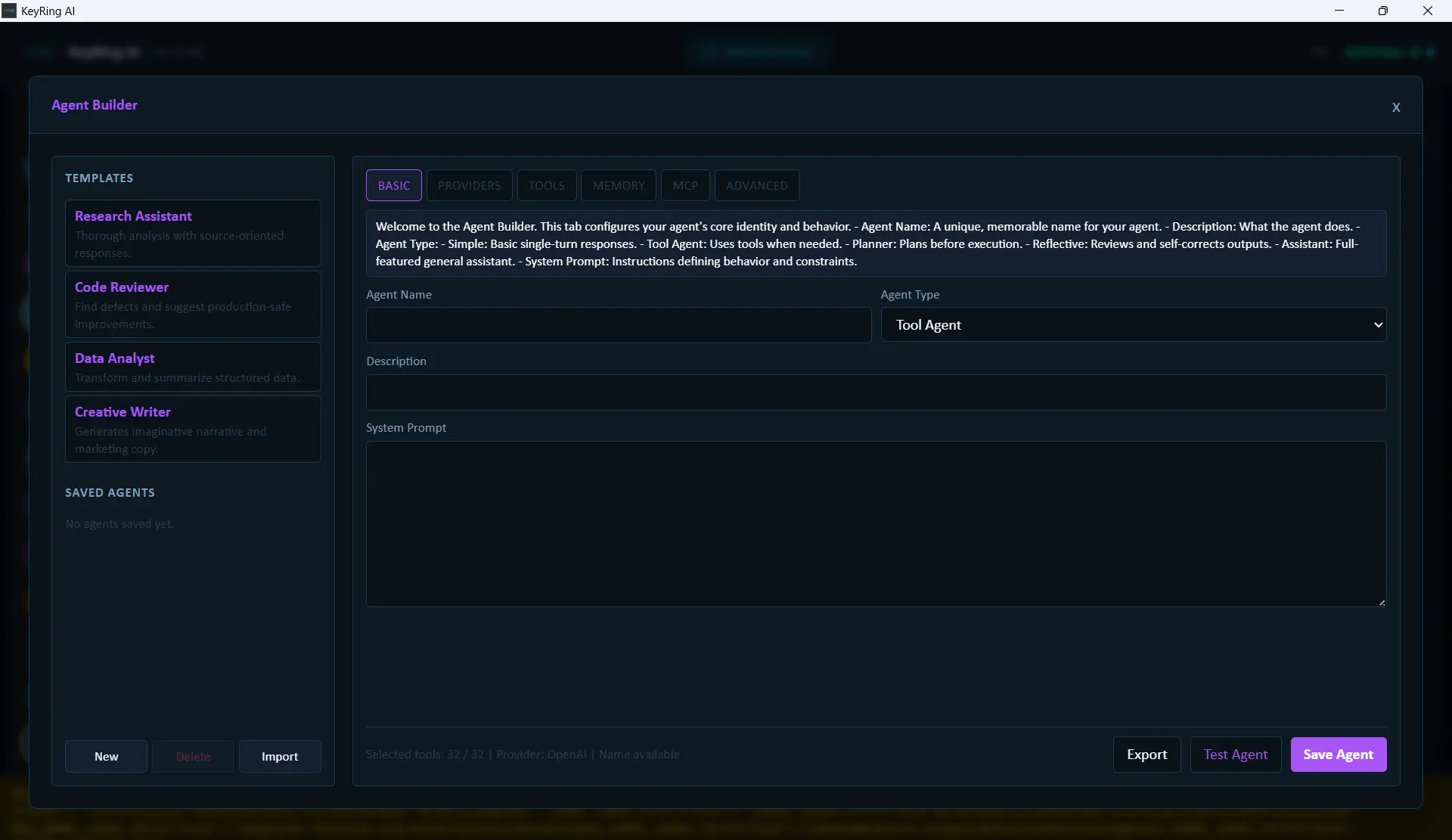
Layout
The current layout is a two-column workspace.
Left column
Templates, Saved Agents, and bottom actions for New, Delete, and Import.
Right column
Tabbed editor with Basic, Providers, Tools, Memory, MCP, Advanced, and Capabilities.
The footer actions are Export, Test Agent, and Save Agent.
Start From a Template or From Scratch
The current build ships with four starter templates:
- Research Assistant
- Code Reviewer
- Data Analyst
- Creative Writer
Templates are starting points, not locked presets. You can also click New to build an agent manually.
Basic Tab
The Basic tab defines the agent's identity and top-level behavior.
- Agent Name
- Agent Type
- Description
- System Prompt
Agent names must be unique. Duplicate names are blocked at save time.
Providers Tab
This tab chooses where the agent runs.
- Primary Provider
- Primary Model
- Fallback provider picker
- Fallback model picker
- Add
- Removable fallback list
Current source of truth
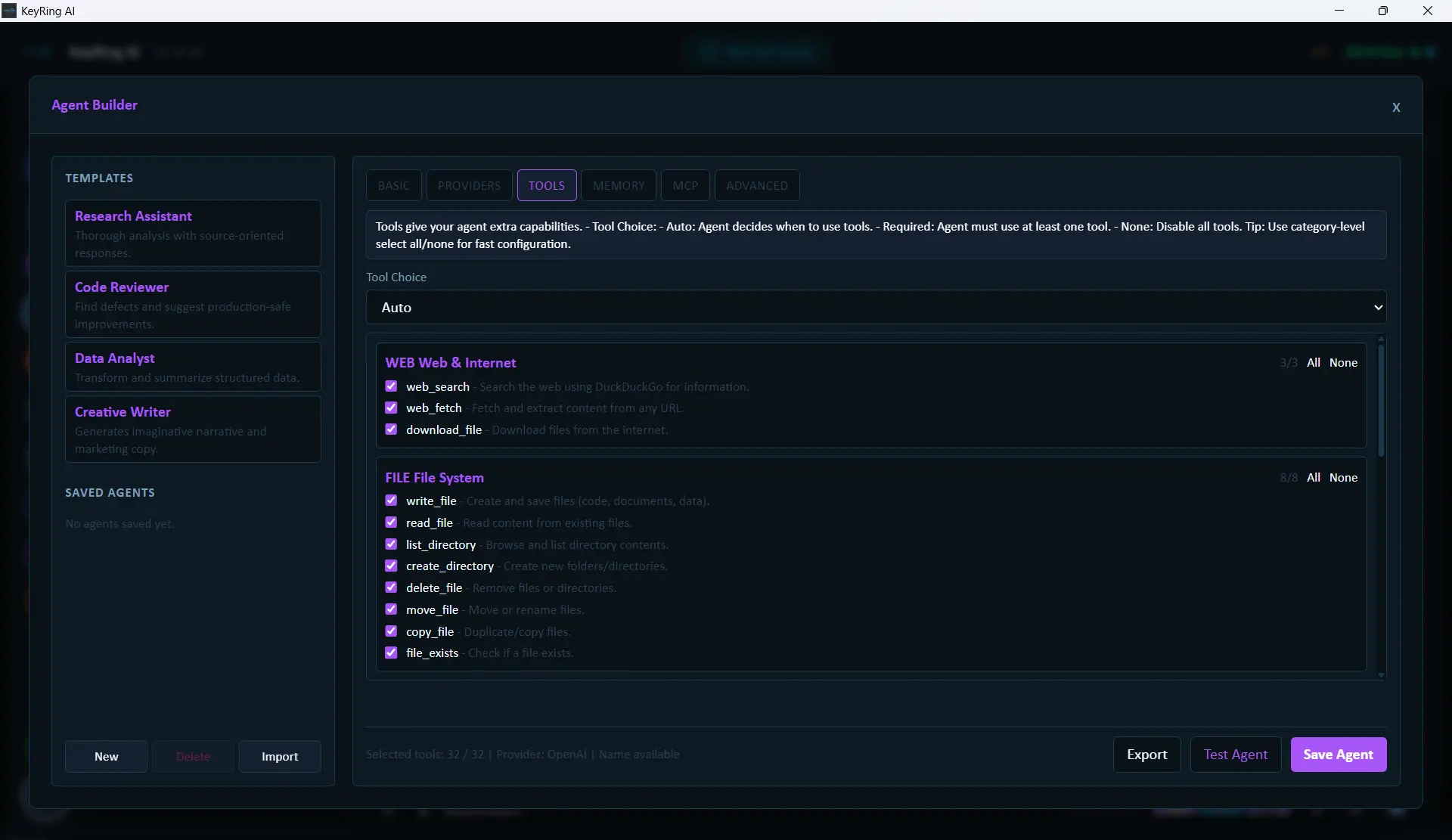
Tools Tab
This tab controls what the agent is allowed to use. The current categories include Web & Internet, File System, Code Execution, Image Generation, System, and Data Processing.
The selected tools are the most important runtime-effective part of the advanced builder surface. They are passed as structured tool definitions during execution.
Memory, MCP, Advanced, and Capabilities
Memory: Memory Strategy and Context Window are stored as part of the agent definition.
MCP: The MCP tab stores MCP server entries as part of the agent definition.
Advanced: Max Iterations, Temperature, Max Tokens, Streaming, Parallel tools, and Debug mode are saved on the agent record.
Capabilities: Reasoning Mode is available only for recognized reasoning-capable provider/model combinations.
Current MCP scope
Save and Validation Behavior
Save Agent validates the configuration before persisting it.
- Empty agent name blocks save.
- Missing model blocks save.
- Cross-provider native tool assignment can block save.
- Invalid reasoning mode values can block save.
Existing agents created before the current validation layer are upgraded to the current format on first read or save.
Test Agent and Execution Flow
Click Save Agent
This persists the current form as an agent if validation succeeds.
Click Test Agent
Test Agent is not just a dry run. It saves first, then opens the execution flow.
Use Agent Execution to monitor the run
Status, pause, resume, cancel, and transcript export are handled through the execution flow.
Most reliable runtime controls today
Important Current Behaviors
- Duplicate agent names are blocked at save time.
- Test Agent saves before it launches.
- Import loads into the form only; it does not persist by itself.
- Provider/model menus come from the built-in list, not a live registry read.
- Tool selection is one of the strongest runtime-effective controls in the current build.
- Support for some advanced fields varies by provider and execution path.
Recommended Workflow
- Start from a template if one is close to what you need.
- Set the final Agent Name early so you do not accidentally duplicate it.
- Lock down provider and model next.
- Reduce tool access to only what the agent truly needs.
- Save the agent.
- Use Test Agent to launch it immediately.
Troubleshooting
Common issues
- Imported an agent but it does not show in Saved Agents: Save it after import.
- The model you want is missing: Agent Builder currently uses a built-in provider/model list.
- Capabilities tab shows no controls: The selected model is not recognized as a reasoning-capable model.
- Advanced settings do not seem to affect the run equally: Runtime parity for some advanced fields still varies across providers and execution paths.