


One Interface. Every Provider You Need.
KeyRing AI brings together 11 AI providers — OpenAI, Claude, Gemini, xAI, ElevenLabs, and more — into a single local-first desktop. Run multi-model roundtables, build agents, and compare responses without your data ever leaving your machine.
Everything you need to operate AI at scale
One prompt editor, ten provider tabs, and a unified chatroom that keeps all your conversations in sync.
Main Workspace
The central hub for all AI operations
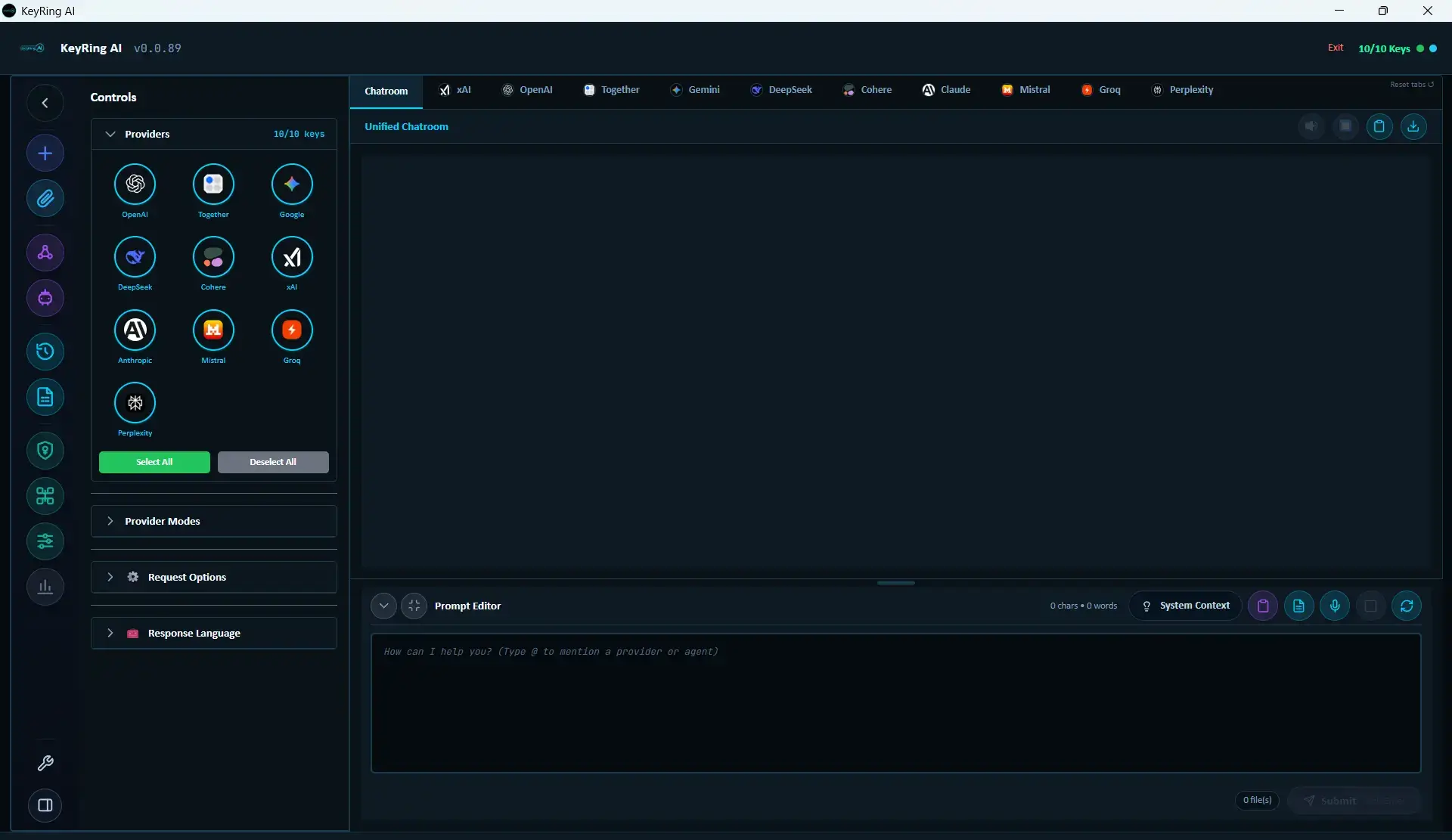
Chatroom View
Unified timeline
Provider Tabs
Side-by-side comparison
Consensus
Auto-generated summary
AI roundtables. Seven conversation modes.
Transform individual AI responses into structured group discussions. Select participants, choose a conversation mode, and watch the magic happen.
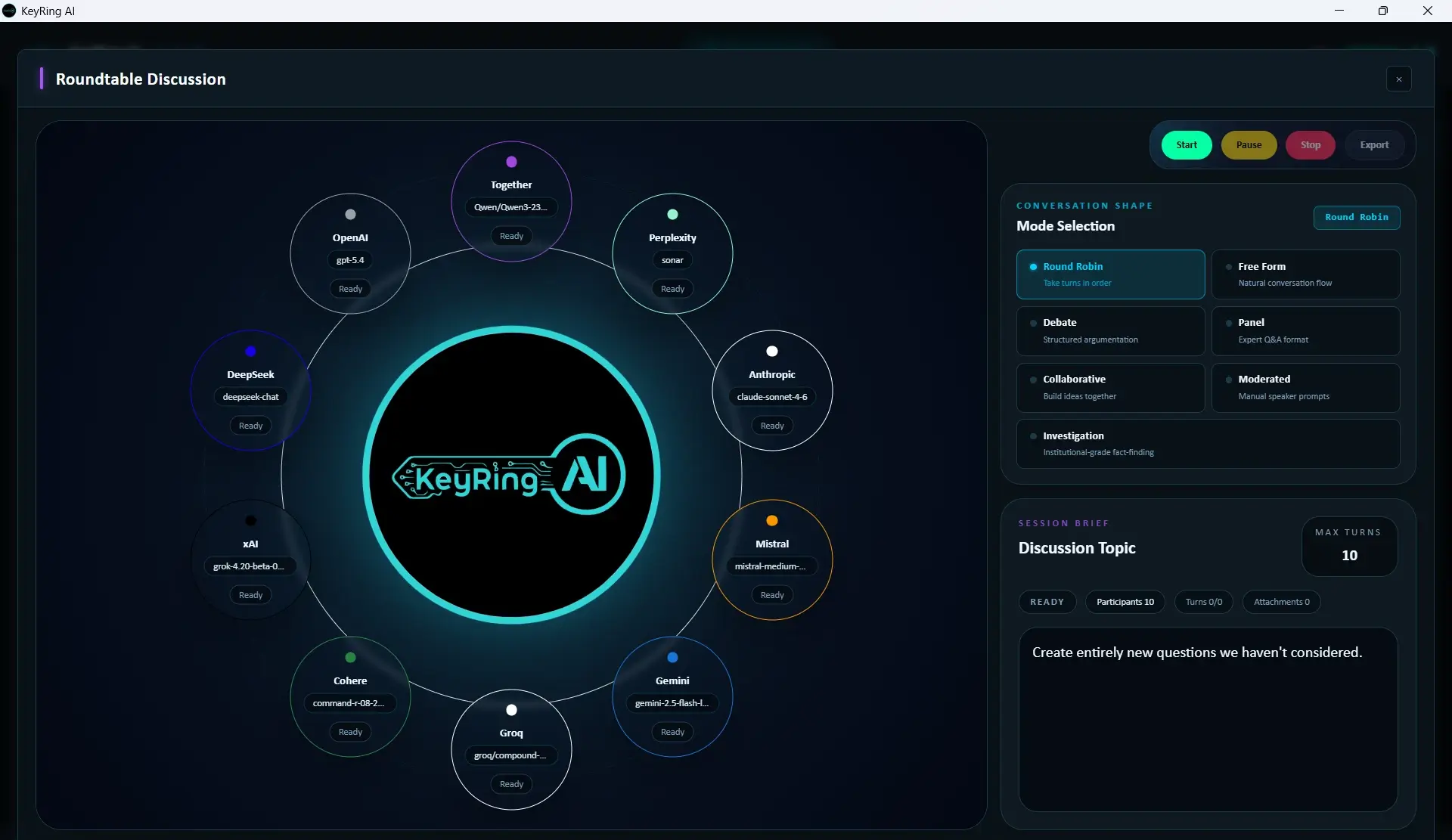
Round Robin
Each provider takes turns in a fixed sequence, ensuring every voice is heard.
Best for
Comparing structured responses across all providers
Free Form
Natural conversation flow where providers respond organically.
Best for
Brainstorming sessions and open-ended discussions
Debate
Structured argumentation with providers taking opposing viewpoints.
Best for
Exploring multiple sides of controversial topics
Panel
Providers act as expert panelists answering moderated questions.
Best for
Expert Q&A sessions and panel discussions
Collaborative
Providers build on each other's ideas iteratively.
Best for
Co-creative writing and problem-solving
Moderated
Manual control over speaker selection and turn-taking.
Best for
Structured interviews and controlled experiments
Investigation
Systematic fact-finding with methodical provider queries.
Best for
Research and deep-dive analysis sessions
Workflow mastery
From attachments to history, every feature is designed for operator control and workflow flexibility.
Chat History
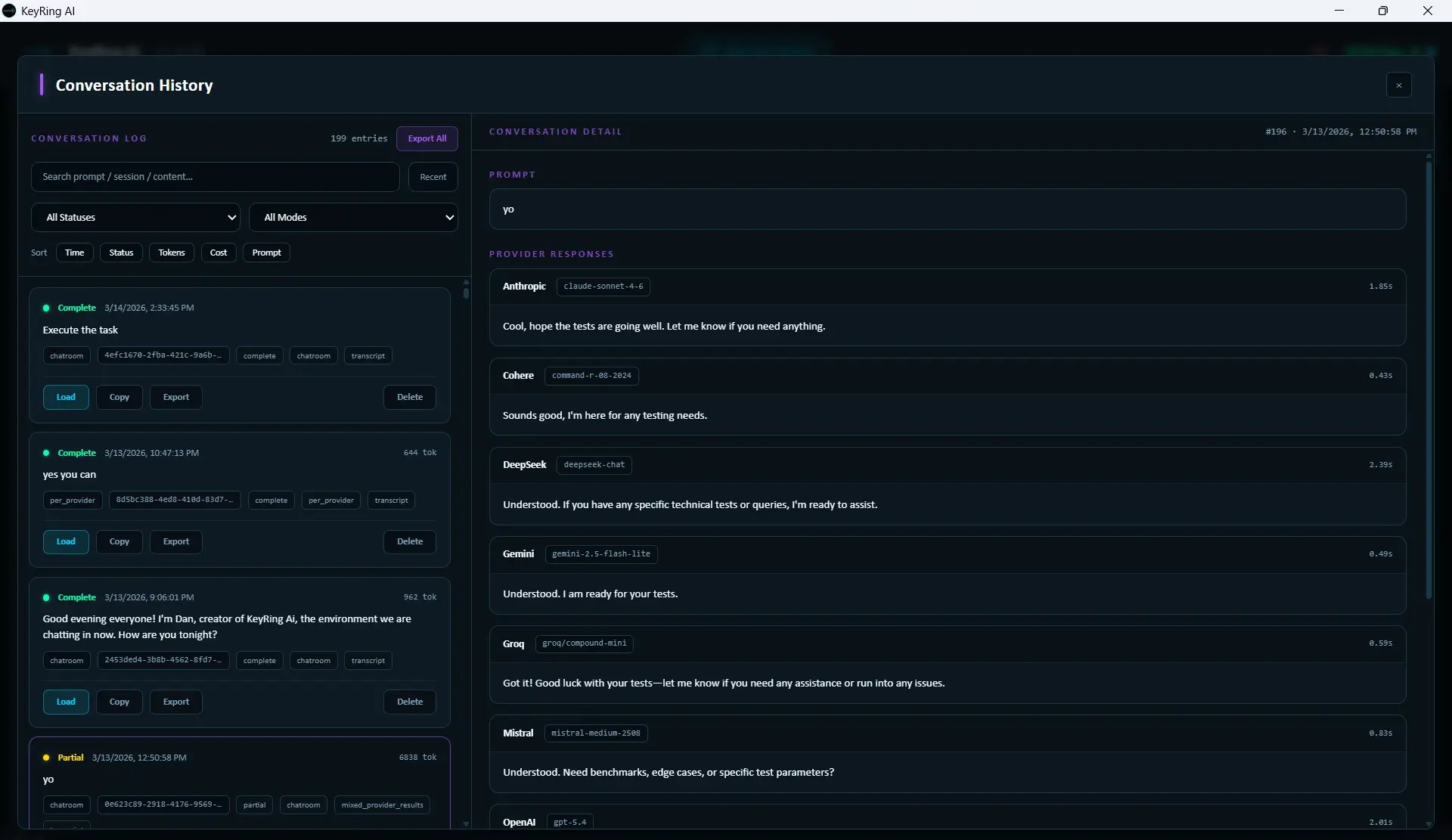
- Search sessions by keyword
- Export transcripts in markdown
- Reopen any past conversation
Attachments
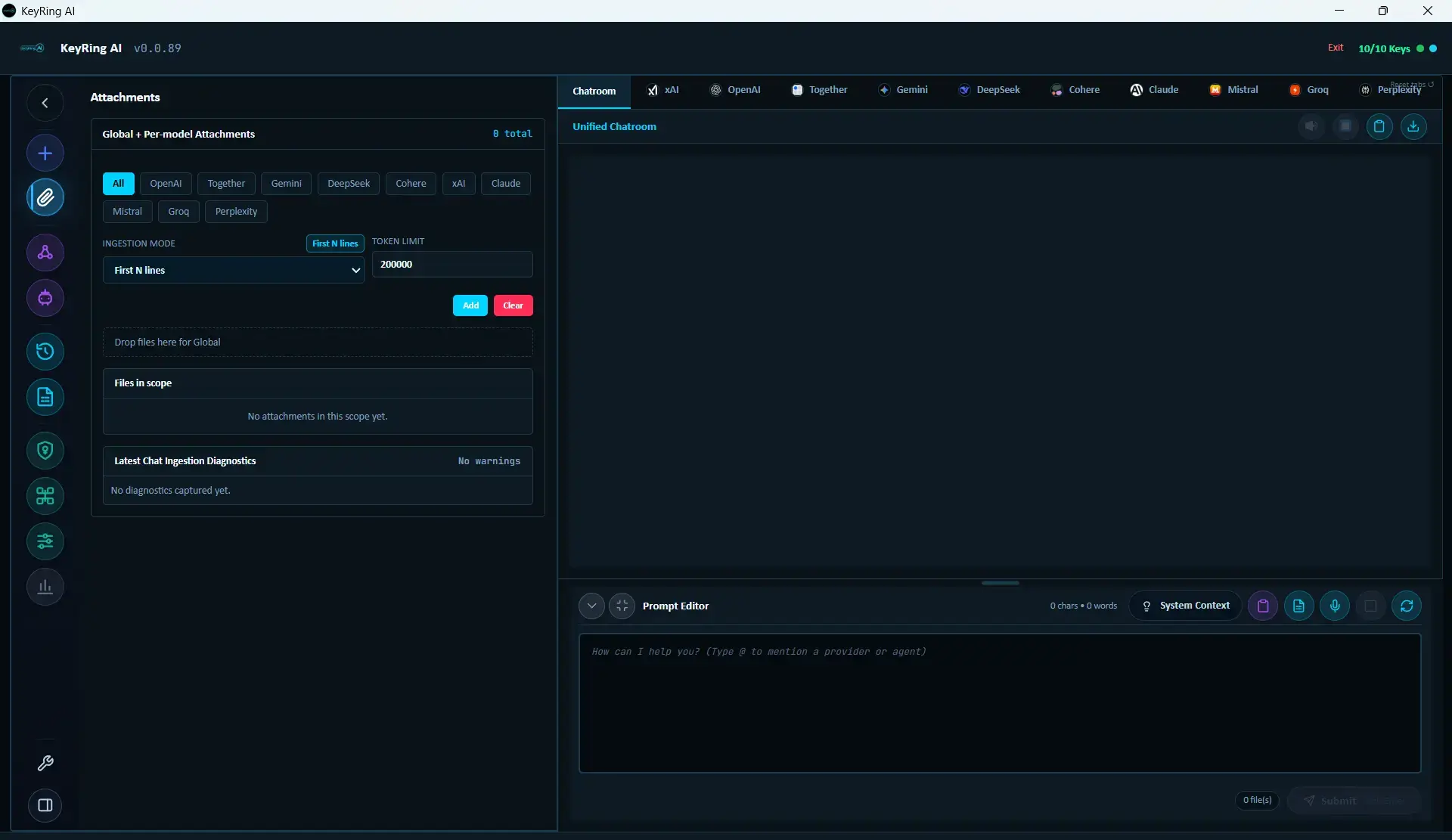
- Global or per-provider file scoping
- 4 ingestion modes (Raw, First N lines, Metadata, Filename)
- Drag-and-drop or file picker
Ready to unify your AI workflow?
Join thousands of operators using KeyRing AI to query, compare, and orchestrate AI from one local-first desktop.
Every layer, explained
KeyRing AI uses a local runtime, direct provider dispatch, local key handling, and bootstrap/auth boundaries to reduce the trust surface around normal AI use.
Direct Provider Connections
All outbound connections go to provider API endpoints only - OpenAI, Anthropic, Google, xAI, DeepSeek, ElevenLabs, Mistral, Groq, Cohere, Together, Perplexity. No KeyRing Labs domain appears in the request path during a chat session.
Your Device → localhost backend → AI provider
↑ FastAPI backend ↑ Direct HTTPSOS-Backed Key Storage
Provider API keys are handed to Windows Credential Manager — the operating system's own encrypted credential vault — rather than to a file KeyRing manages itself. Windows ties each entry to your user account, so copying KeyRing's data folder to another machine carries no keys with it.
Bound to your Windows account · not stored by KeyRing
Localhost-Only Backend Binding
The FastAPI backend is designed to bind to loopback-only host settings so the desktop runtime stays on localhost rather than becoming a general network service. The app is intended to keep the backend off your LAN and out of the public internet path.
LAN: blocked · Internet: blocked
Bootstrap Handshake + Bearer Auth
On launch, the Tauri shell starts the Python backend and establishes an authenticated session via a one-time handshake token. All frontend-to-backend communication uses scoped bearer tokens with CSRF protection.
No token · No access · Even on localhost